> ## Documentation Index
> Fetch the complete documentation index at: https://docs.aiderx.io/llms.txt
> Use this file to discover all available pages before exploring further.
# How to get access token for api usage
> Describes how to get the access tokens you need to use A2's APIs.
### Access token
Access tokens are essential for using the A2 Platform's APIs. For security, access token must be attached to the API call of A2 Platform, otherwise you will get an authorization error.
You can use only one access token in A2.
#### Initial issuance of access token
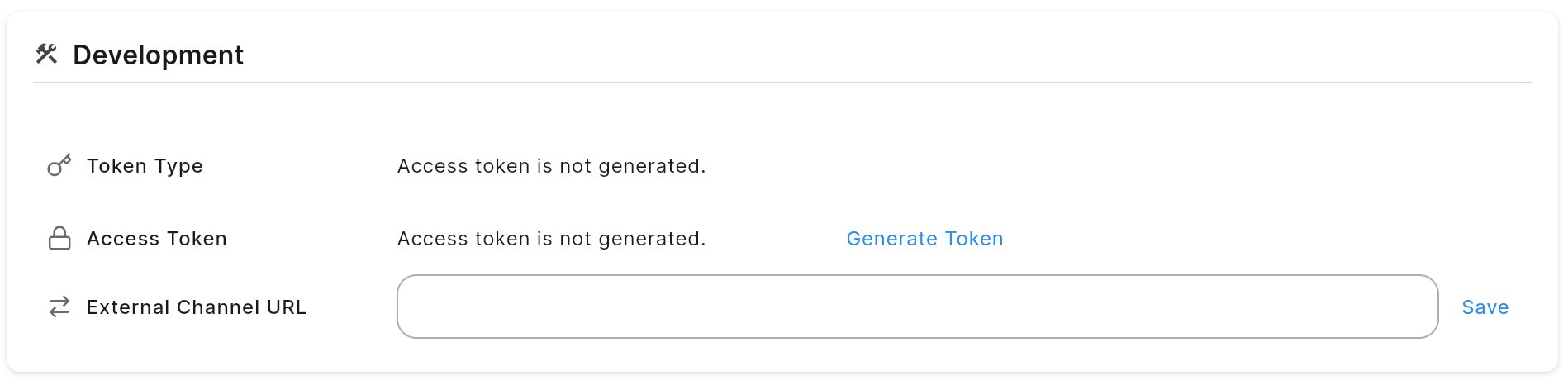
The A2 starts with no access token issued. Therefore, if you want to integrate through the API, you need to issue an access token. The APIs is not available because the access token has not yet been issued, so you can issue it in ADM.
 #### Regenerate access token by API
You can also change the access token as needed. This can be done through the API as well as ADM.
```bash Regenerate Access Token theme={null}
curl --request POST \
--url https://your_a2_service/settings/access_token \
--header 'Authorization: Bearer '
```
As soon as a new token is issued, the parts of the application that were linked using the previously issued access token will not work.
```json Response theme={null}
{
"access_token": {
"access_token": "",
"token_type": "Bearer"
},
"created_at": "2023-11-07T05:31:56Z",
"currency": "usd",
"external_channel_url": "",
"language": "en",
"tls_domain": "",
"tls_enable": true,
"updated_at": "2023-11-07T05:31:56Z",
"yield_optimization": {
"ceiling_cpm": 123,
"floor_cpm": 123,
"yield_roas_balance": 0.5
}
}
```
#### Regenerate access token by API
You can also change the access token as needed. This can be done through the API as well as ADM.
```bash Regenerate Access Token theme={null}
curl --request POST \
--url https://your_a2_service/settings/access_token \
--header 'Authorization: Bearer '
```
As soon as a new token is issued, the parts of the application that were linked using the previously issued access token will not work.
```json Response theme={null}
{
"access_token": {
"access_token": "",
"token_type": "Bearer"
},
"created_at": "2023-11-07T05:31:56Z",
"currency": "usd",
"external_channel_url": "",
"language": "en",
"tls_domain": "",
"tls_enable": true,
"updated_at": "2023-11-07T05:31:56Z",
"yield_optimization": {
"ceiling_cpm": 123,
"floor_cpm": 123,
"yield_roas_balance": 0.5
}
}
```